Affichage des articles dont le libellé est android. Afficher tous les articles

21/10/2018

How to transfer and share files over Wi-Fi without Internet

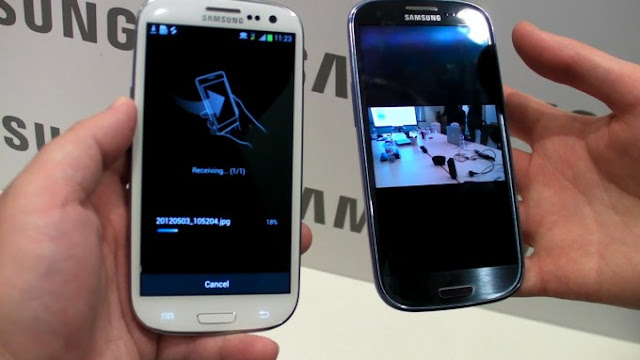
There are many ways to transfer and exchange files between devices, but each method defects, Bluetooth does not support the transfer of large amounts of data, USB is not always at your fingertips when needed, either Ada Choose upload file on the Internet, may not allow you Internet speed But there are of course other better ways to use Wi-Fi without Internet connection.
How to transfer and share files over Wi-Fi without Internet

Wi-Fi Direct function

If you want to transfer files from one smartphone to another, you can use the built-in Wi-Fi Direct function. Let's see how, for example, two Android phones work. Open your smartphone settings. Go to the Wi-Fi (WLAN) section. You do not need to connect to the Internet. Go to the Wi-Fi Direct tab - you can hide it in the additional menu.
How to transfer and share files over Wi-Fi without Internet

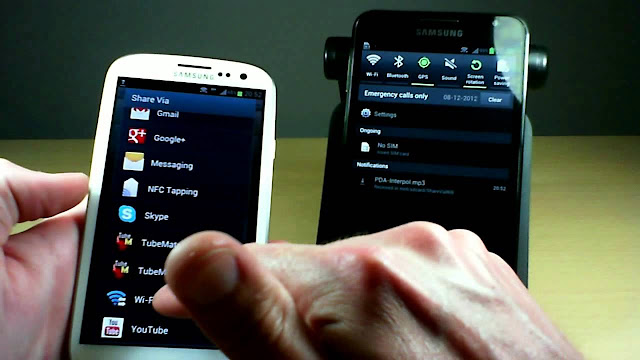
Then activate Wi-Fi Direct on both devices. Find the file you want to send in your phone's memory, click "Share" and choose the method for sending Wi-Fi Direct. Then you will see a message on the recipient's smartphone, you must agree to download the file.

Application SHAREit

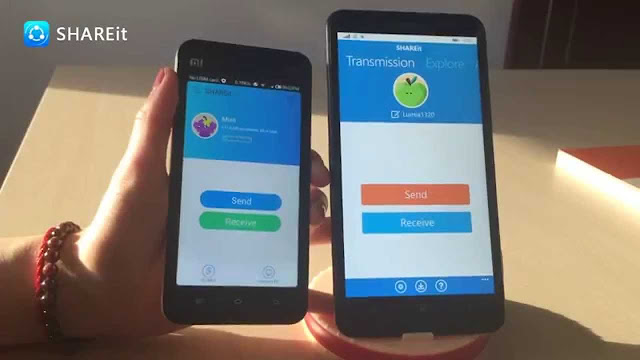
To move the files, you must install SHAREit on both computers. For all platforms, the app is available for free. After installation, run the program. On the transmitter, click the Send button and select the file or application. On the receiver. In the center of the screen, the radar appears, which displays a custom icon for another device on the network. Click it to connect the connection and start transferring the file.
How to transfer and share files over Wi-Fi without Internet

When you transfer data from phone memory to your computer, you must select the Connect to PC mode. Otherwise, there is no change. The search screen appears, which you need to select the icon for the receiving device.

Application of Filedrop

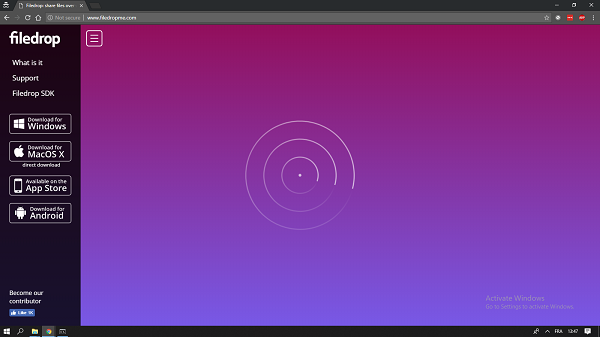
Filedrop works in a similar way. The application must be installed on all devices that will share file sharing. To start the connection, start the application. The interface is usually configured automatically, but sometimes you must enter a four-digit code. On the phone, you can see it by clicking the button in the upper right corner. On the computer - by right-clicking on the program window.
How to transfer and share files over Wi-Fi without Internet

If you are transferring data from your phone, click the icon in the box shape. A simple file manager is opened where you can select the file to be sent. When you transfer data from a computer, you can simply drag and drop it into the program window. File transfer is also available through the Filedrop website. When you open it in your browser on your homepage, devices that have running apps connected to the same Wi-Fi network are displayed.
The most powerful calculator for math lovers combines 75 calculators into one application


In previous topics, we discussed a range of useful applications on Google Play. We talked about a range of calculator applications that you can use on your phone, and these machines solve sports problems by the phone camera, some others can write on the screen and so on...


The most powerful calculator for math lovers combines 75 calculators into one application


But today we will learn the application of an all-in-one calculator that provides you 75 calculators and adapters in one application. Yes, one application :)

The most powerful calculator for math lovers combines 75 calculators into one application


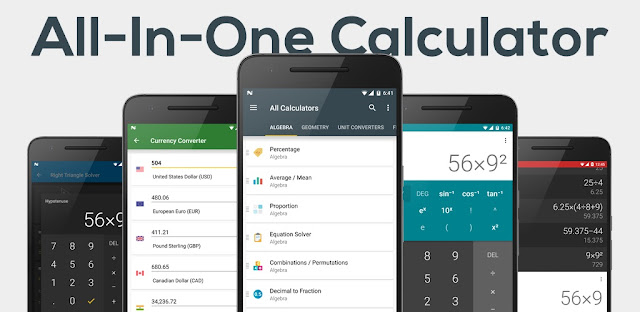
The application is called the "all-in-one-calculator". It enables you to perform basic calculations and even more complex tasks such as solving equations, calculating the sizes and switching between different units of heat, height, energy, speed, and much more.

The most powerful calculator for math lovers combines 75 calculators into one application


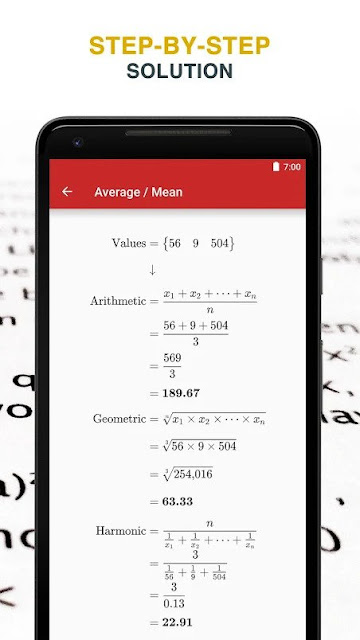
Of course, the application is very special. It is a calculator with supernatural capabilities that include algebraic and geometric processes, conversion between different units, financial operations, health, even engineering, and free on Android. This unique application, which weighs less than 8 MB, combines all the possible tools that allow you to Calculates something. Just select the process and replace the known values. In the case of complex calculations, not only the final answer is displayed, but also a detailed way of how to reach the solution with all steps.

Here are 7 popular applications with a light copy, do not take up space and do not consume processing and battery on your smartphone


You may have heard of "lite" apps, which are less beautiful than common apps. It is very useful for those who use low-cost smartphones - which have small and medium access memory - because they will run more smoothly without leaving the user uncomfortable with slowdowns or failures.


Here are 7 popular applications with a light copy, do not take up space and do not consume processing and battery on your smartphone


The idea for small applications is to reduce the code used to design the interface and remove some of the less commonly used functions. Below, we will list the top 7 applications in the "lite" version that do not take up space on your smartphone.

Facebook lite
Default version: 373MB
Lite version: 1.3 MB

The first point is to talk about saving the space provided by the light version on your smartphone, as we have already said.
The design seems to spoil even space because it is surprising that the full version is almost as complete as a regular Facebook application. You'll still be able to enjoy and comment on your friends' posts, visit their profiles, publish them on their own schedule, and do everything you normally do.
What is certain is that Facebook Lite uses less data, runs on slower connections, consumes fewer system resources, and thus saves battery power. So, feel free to install this version. The only downside is really the design.

messenger light
Standard Edition: 60 MB
Lite version: 6MB

 The social chat app also has a small version. The size difference is also large since the standard version takes 10 times the size of your "thin" sibling. It only has basic features, but it is just those that matter in the communication application.

You can send and receive messages, pictures, voice notes, posters, and voice, and video calls. Messages that contain only gif files cannot be sent. But if you are not good at this kind of coordination, is there any difference? So, the simple version of Facebook messenger is quite possible, even on more powerful devices.


Google Maps Go
Standard Edition: 30 MB
Lite version: 140 KB

Of course, Google has also entered the wave of "thin" applications, but instead of using lite, the company uses the name "Go". In the case of Maps Go, its small size of 140 KB shows that the search giant takes the lite concept seriously.

 The trick here is that the size it to this level they extracted most code. The Go version of Maps works under the web browser's platform. This made it easy to shrink.

The important thing is that, at least with regard to the main function of drawing roads by car or public transport, on foot or by bike, everything works well. Some features, of course, were missing, such as the presence of offline maps. This is logical since you should think that there is no space for the most limited smartphones. Therefore, some resources are needed. However, if your phone supports the full version of Google Maps, choose it. But if you have processing or storage issues, Maps Go will be useful to you.

Google Go
Default Version:
Lite version: 5 MB

The Google Search app is not used much. The search bar on the home screen is handy because it's on the main screen of any Android phone. However, it is an application worth testing on more modest phones. Save about 40% of data when viewing search results. Its size is 8 times smaller than the standard version, as well as voice searches.

YouTube GO

 Standard Edition: 112 MB
 Lite version: 8.9 MB

By default, Youtube Go does not bury itself in many settings like the default version, which is very light in size. No translation settings, change speed, none of it. It focuses on the control of data usage because, before watching any video, you have to choose accuracy

25/03/2017

6 smart phones with amazing and fabulous technologies you have never seen before

Smart phones are developing very rapidly and very rapidly, especially in recent years, so we are seeing a range of new technologies and innovations in these devices, which have become competing with computers. Today my dear follower will give you some amazing advantages found in some phones currently and have incredible it already exists.
6 smart phones with amazing and fabulous technologies you have never seen before

5G internet connection

Last week we shared a theme about the expected phone from the Chinese company ZTE. The unique feature of this phone is support for the 5G communication technology. You can find out more about it by clicking here.

8GB random memory

It seems that 6 gigabytes of RAM in the smartphones, which we were impressed with just a short time ago, is no longer a matter of the development of this aspect. A new phone from Azus, the Asus ZenFone AR, comes with 8GB random memory.

A 360 degree camera

There are plenty of cameras that allow you to shoot 360 degrees, but have you ever heard of a phone camera doing this? We are not talking about applications, but a compact camera that allows you to shoot at this level! There is a phone called "Protruly Darling", the first phone to come with this feature.
Dolby Vision

This technique has been heard over and over in a variety of television screens, but perhaps this is the first time you hear about smartphones. Yes, my friend, this technology is also in the smart phone screens and the first is the "G6" phone from LG.

4K HDR screen

4K HDR This legendary quality is now available in smartphones, and the first phone that comes with this quality is the "XZ Premium" from Sony.

Thermal camera

Cat S60 from Cat Phones, the world's leading manufacturer of heavy equipment and engines, is the world's first thermal camera phone that allows users to detect heat loss around windows and doors and determine the temperature of electrical devices. As well as visibility in total darkness.

24/03/2017

How to speed up videos on Android phones (2017)

Many users are looking for ways to speed up the Internet so that there are widespread methods on the Internet false and believed by many of the Muslim Brotherhood, such as increasing the Internet, for example, it is unfounded and not accepted by logic even.

كيف تقوم بتسريع الفيديوهات على هواتف الأندرويد ( 2017 )

In this topic I liked to share with you a new application you discovered by accident and the role of the latter is to accelerate the video on Android phones, yes it works so that you will notice the difference after you try it yourself so you can try it on YouTube videos, Known as the VPN service and launched a new application called Hola Video Accelerator to accelerate video on Android phones.


How the application works is so easy that all you have to do is download it from the link you will find below the post then you open it and then activate it simply and go to the video you want to play and it will run in high quality and without a little interruption, If you are connected to a slow Internet, it will not solve the problem because the reason is your Internet service provider and your Internet connection, but the application will improve the experience of watching the video and you will notice the difference without form.


Application Download Link : Hola Video Accelerator